
Flush DNS
By cipher
When you visit a web site, your computer will cache the DNS, Domain Name Server, information and on subsequent visits, the web site will resolve faster.
Sometimes the cache becomes corrupted. Bad DNS info can be stored. You can wait 24 hours for the cache to clear itself, OR, you can do it yourself.
Here's how:
Left click Start, drag mouse up to Run, click

type cmd
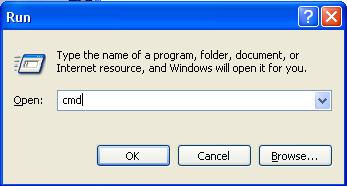
Click OK
Type ipconfig /flushdns
You should see:

If you see:

Then:
Left click Start, drag mouse up to Run, click
select Run and type services.msc
You'll see:
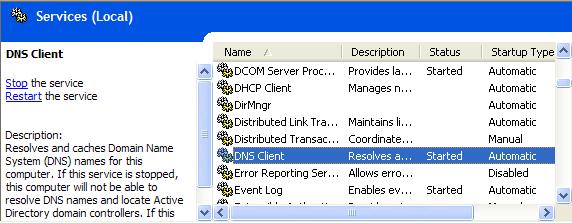
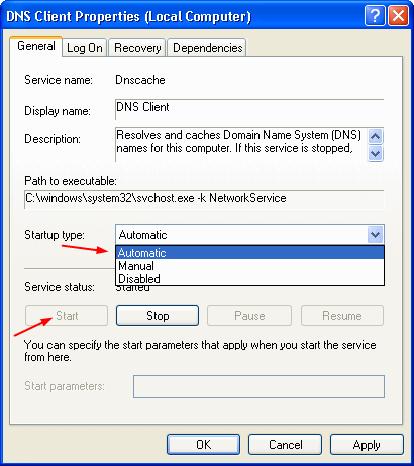
Double click DNS Client
Set the startup type to Automatic and service status to Started
Re run the first step (ipconfig /flushdns from the command prompt)
You're Good to go!
